Move form responses into your business workflow
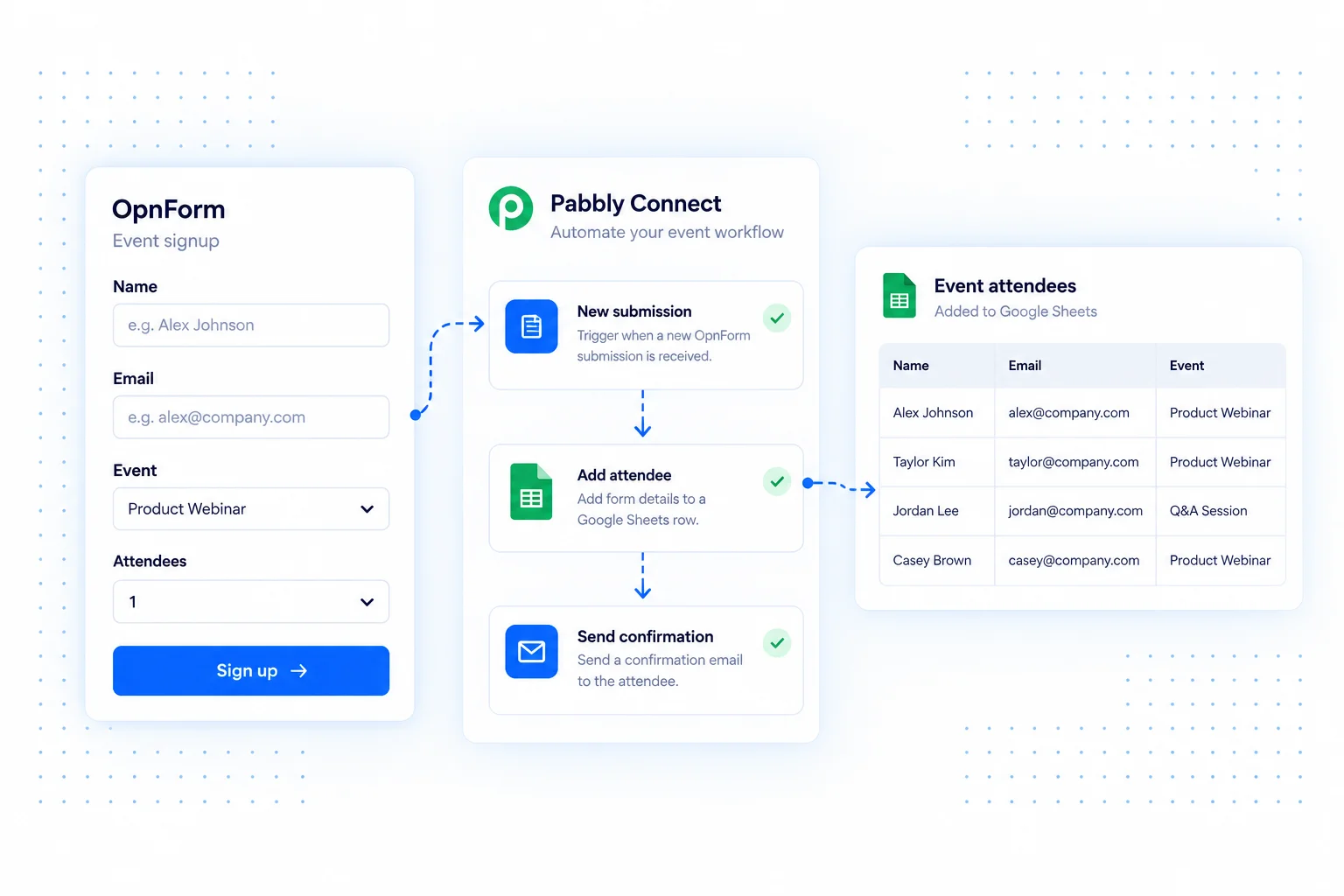
Connect OpnForm with Pabbly Connect to pass new responses to the business apps you use for sales, events, or customer operations. A workflow can turn collected answers into a record that another team can act on.
Build the workflow around a specific handoff rather than copying every field everywhere. Choose the destination, map its required values, and make the next action clear.
Pabbly Connect integration use cases
Add event attendees to a working list
Send registration details into a spreadsheet or event tool supported by your workflow. Keep the selected session alongside the contact details so organizers can prepare the right roster.
Create a sales follow-up
Turn a quote request into a lead and a follow-up action in your connected sales tools. Map the request description as well as contact details to preserve the context.
Organize service requests
Pass new requests into your task or support system. Use the submitted category and preferred date to help the receiving team review and prioritize its queue.
Connect OpnForm to Pabbly Connect
Start from the OpnForm integration in Pabbly Connect.
- Open the OpnForm integration in Pabbly Connect and create a workflow.
- Configure the OpnForm submission trigger using the integration's connection instructions.
- Capture a sample submission and map its fields into the destination actions.
- Test the complete workflow and verify the resulting records before enabling it.
Build a dependable workflow
Check how names, dates, and multi-select values arrive at the destination. Decide how to handle repeat submissions before adding contacts to a list. Only start marketing communications when you have collected the relevant consent. Actions, execution limits, and account requirements depend on your automation provider and its connected apps.
Common questions
Does every workflow action run inside OpnForm?
No. Pabbly Connect runs the workflow you configure. OpnForm provides the submission event, while destination behavior depends on the connected apps and selected actions.
For a simple spreadsheet feed, see Google Sheets. For another no-code automation option, explore Albato.